


On MagicSchool, several tools can be used to create assessments, some of them accessible in the category Feedback & Asessment. If some are for the US environment, several can be used in European context, as for example the Multiple choice Quiz / Assessment, the Rubric generator or the Multi-Step Assignment. The Worksheet Generator that is not included in that category can also be used to generate assessments. We will show the example of the Worksheet Generator as, for the same objective and with a unique prompt, it provides exercises in different formats: fill in the blank, multiple choice questions and open ended questions).
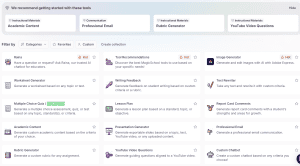
The “Worksheet Generator” tool:
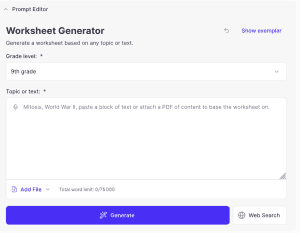
We can choose the school level of the assessment from nursery school to university but also professional staff. Unfortunately, level is only expressed following US or UK standards, meaning you need to search for the correspondance in your country.
Then the section “text” is waiting for our prompt. The more precise we are, the more relevant the tool’s response will be.
It is possible to restrict the field covered by the assessment by uploading a document or indicating a web page.
More features are available in the paid versions, such as the ability to choose different types of questions, shorten or lengthen the questions, summarize a paragraph, a sentence, or a specific point. We can also customize the questions by editing them, adding resources, or highlighting certain questions.