


The application handy computer, which works with AI, will enable us to transcribe our words into text in any application.
As an anecdote, CJ Pais (the designer) created this application after breaking his finger and being unable to use his keyboard properly. He explains this to us here.
Several special features of this application are worth noting:
- First of all, it is actually an application, which means it is installed locally on your computer.
- No account is required.
- It is free.
- It is extremely simple.
Of course, like any speech-to-text tool, it will help students combat:
- Dyslexia: by providing immediate visual feedback, this will help students recognise words.
- Dysorthography: few spelling mistakes in transcription. Possibility of combining the result with a spell checker (AI or traditional word processor).
- Dysgraphia: students will no longer be “stuck” in the writing phase, as they can produce their text orally.
- Dyspraxia: motor coordination disorders are put on hold while using this tool.
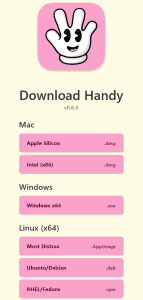
To use handy computer, All we need to do is download the application (note that it works on PC, Mac and even Linux).
Once installed, simply launch the application handy computer, by simply using the default keyboard shortcut CTRL space.
The application settings are very simple and do not need to be explained in detail here.

Here is a short video showing how it works: